


 Expert advice
  Pay by Invoice
  9,3/10 rating by clients
  Worldwide Delivery
  ISO 9001-2015
  Free Trial Service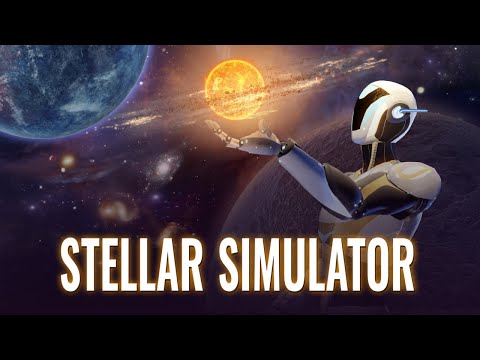


Stellar Simulator
 Authorized Reseller

Get the Bundle!
€16 excl. VAT
- Immersive VR experience
- Collaborative mini-labs
- Real-time star and planet creation
- Interactive simulations
- Hands-on learning
- Compatible with leading VR devices

Stellar Simulator
€16 excl. VAT
Software Specification Sheet
Learn the Star System in VR Stellar Simulator is an engaging VR tool that lets students explore star and planetary system formation. Students work in teams to manipulate nebulae, launch planets, and experience stellar evolution. From star births to supernovae. Designed for classrooms, Stellar Simulator encourages helps students understand complex physics and astronomy concepts in a fun and interactive way - perfect for teachers looking for a way to teach essential astronomy and physics lessons in an accessible and engaging way.
License
| License model | 1 year license |
| Type of license | User-Based |
| Users per license | 1 user per license |
| Features | See full feature list |
Software details
| Category | Astronomy, Physics |
| Type | 6DOF |
| Commonly used in | Educations |
| Average session length | 20 minutes |
| Trial availability | Request a trial |
| Supported languages | English |
Compatibility
VR headsets
-
 Meta Quest Pro, Meta Quest 3 512 GB, Meta Quest 2 - 128GB
 -
Pico 4 Ultra Enterprise, Pico Neo 3, Pico Neo 3 Pro Eye, Pico 4 Enterprise
-
HTC VIVE Focus Vision (Business Edition), HTC VIVE XR Elite Business Edition, HTC Vive Focus 3
 Meta Quest Pro, Meta Quest 3 512 GB, Meta Quest 2 - 128GB
  Pico 4 Ultra Enterprise, Pico Neo 3, Pico Neo 3 Pro Eye, Pico 4 Enterprise
  HTC VIVE Focus Vision (Business Edition), HTC VIVE XR Elite Business Edition, HTC Vive Focus 3
 Desktop
- A browser version of the application is available at https://abelanavr.com/
Software Features


Top Picks from Stellar Simulator
Our team’s favorites from Stellar Simulator. These examples highlight the content that sets Stellar Simulator apart.

Star Life Cycle Module
Through interactive lessons, students can experience the full life cycle of a star,

Planet Formation Module
Experiment with planet formation on the proto-planetary disk, adjusting speeds and orbits to

Main-Sequence Star Module
Witness the aging and transformation of main-sequence stars, gaining insights into the cosmic
Compatible Headsets
Stellar Simulator works on most of the current standalone VR and some PC VR devices. When buying Stellar Simulator in combination with a VR headset you get a 2,5% discount on your order!


 Specific requirements or have any questions?
 Specific requirements or have any questions?
Please let us know and we’ll provide a custom quote based on your needs.
E-mail us at sales@vr-expert.com or call us at 030 711 6183
Request a Quote
Get a detailed quote for this software within 1 - 2 business days.


